
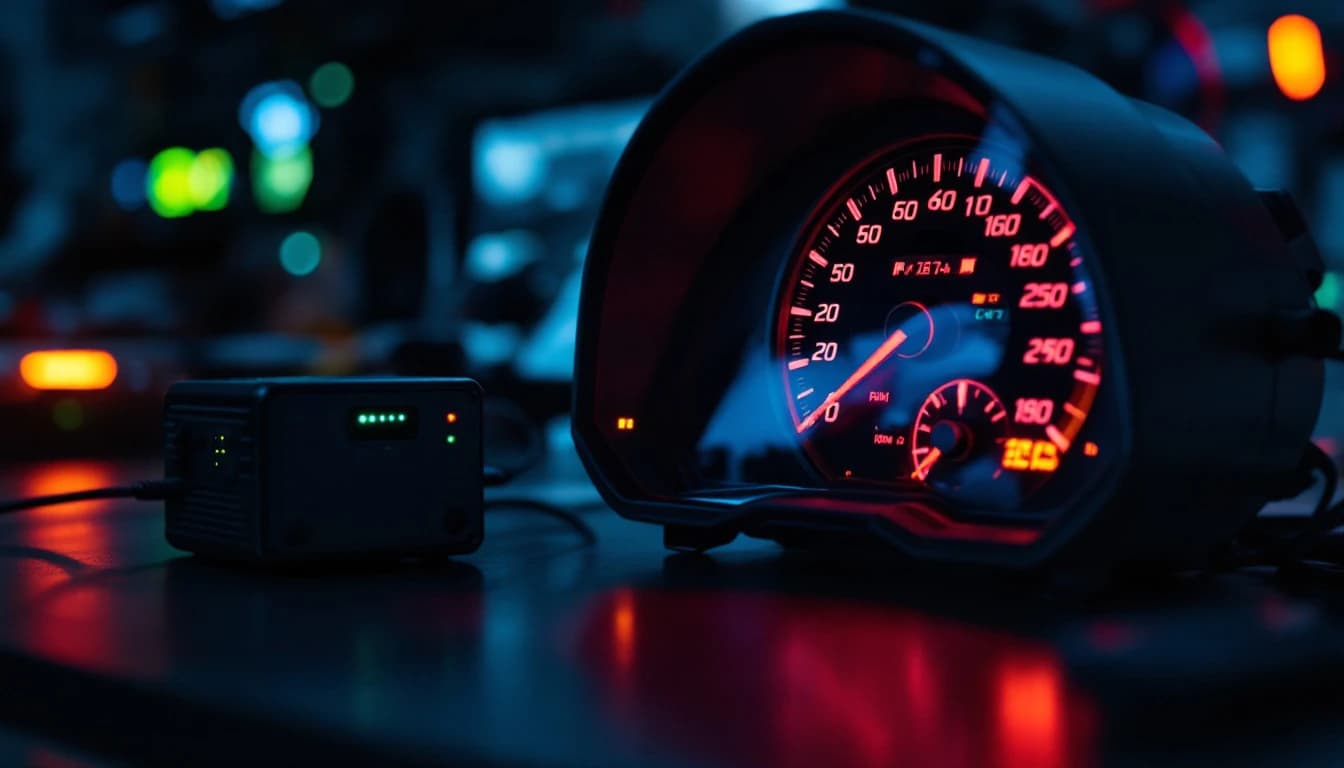
All Dashboard Warning Lights On: Cluster or Network?
A dashboard full of lights is a clue, not a diagnosis
Turn the key and the cluster lights up like a pinball machine: ABS, brake, airbag, check engine, battery, traction, power steering, maybe a gear message. Owners understandably assume five things broke at once. They almost never did.
Every one of those lights is a message from a different module. For all of them to light together, something common to all of them has to have gone wrong. That common thing is one of three: electrical power, the communication network, or the cluster that displays the messages. Sorting those three, in that order, is the entire job.
We repair clusters on the bench and we see the wreckage of misdiagnosis: clusters shipped in for a "dead display" that turned out to be a corroded battery terminal, and cars with a perfectly good cluster that were blamed because they were the part you can see. This guide is how we would work through it, and where we would stop and say the cluster is not the problem.
As of October 2026, the cost ranges here are planning ranges from typical repair channels, not quotes.
First, what is normal
Before chasing a fault, remember that a bulb check is normal. At key-on, nearly every warning lamp lights for a few seconds while the cluster tests its bulbs, then goes out as the modules report in. If your lights go out after the car starts, that is not a fault.
The concerning versions are:
- Lights that stay on after the engine starts
- Lights that come on while driving, all at once
- Lights that flicker or reset when you turn on headlights, the blower or the rear defroster
- A cluster that shows all lights plus dead or sweeping gauges
- A car that cranks slowly, stalls or fails to start along with the lights
Write down which of those applies. It narrows the cause quickly.
The three families of cause
Power: voltage and grounds
Modules are fussy about voltage. When supply drops below the level a module needs to run, it can reset, report a fault or go quiet. A cluster that loses clean power will light everything. A cluster that sees a module go offline because of low voltage will light everything that module controls.
A healthy resting battery is commonly cited at around 12.6 volts, and a running charging system typically holds the low-to-mid 14-volt range, according to general guidance from outlets such as Car and Driver. Your car's own specification controls, but the idea is simple: a battery well below 12 volts at rest, or a system that does not climb above about 13 volts with the engine running, is a prime suspect.
Typical signs: slow cranking, dim headlights, a battery light, lights that flicker with electrical load, a recent jump start or battery replacement, or corrosion at the terminals.
Communication: the CAN network
Most cars built in the last two decades share data over a controller area network, known as CAN. Federal emissions rules, administered by the EPA, required CAN for OBD-II diagnostic communication beginning with the 2008 model year on light vehicles sold in the US, and many cars used it well before that. Modules broadcast messages onto two twisted wires, and every other module listens. A typical high-speed CAN runs at 500 kbit/s. The protocol is described in standards published through SAE International and ISO.
When the network is healthy, the cluster receives wheel speed from the ABS module, engine data from the engine controller, airbag status from the SRS module, and so on. When the network breaks, the cluster stops receiving those messages, and many clusters are programmed to light a warning for every missing signal. That is how one network fault produces a Christmas tree.
The network can fail in several ways:
- An open or short in the CAN wiring, which splits the network or kills it entirely
- A failed module that floods or shorts the bus, dragging every other module off the air
- A module that has lost power or ground, so it stops transmitting
- A gateway module that has failed, cutting off one network segment from another
- Water or corrosion in a connector that carries the network pair
The key fingerprint is a pile of U-codes on a scan tool. See our guide on lost-communication codes for how to read them.
The cluster itself
The instrument cluster receives and displays. It can fail internally: a failed power supply on its board, a corrupt memory, a cracked solder joint, a failed display driver. When that happens, the display can misbehave even though every module on the car is healthy and talking.
Signs the cluster is the culprit: the car starts and drives normally, the scan tool talks to every module without U-codes, yet the cluster lights are wrong, gauges sweep or freeze, or the display resets itself. See our related guide on a dead instrument cluster for the failure modes in detail.
Ranked causes, most to least likely
On a car with all lights on and no other clues, this is the order we would test.
- Low battery or charging fault. The most common cause by a wide margin, and the cheapest to rule in or out.
- Corroded or loose battery terminals and ground straps. A bad ground can mimic a failed module.
- A blown fuse or relay feeding the cluster, gateway or a group of modules. Often a single ignition-switched fuse.
- A battery replacement or jump start that left modules confused. Some cars need a relearn or a scan-tool reset afterward.
- A single failed module dragging down the network. Common culprits include ABS, body control, airbag and power steering modules.
- CAN wiring damage or corrosion. Chafed harness, a damaged connector, water intrusion.
- A failed gateway module. Common on cars where the gateway is a separate unit.
- The instrument cluster. Internal failure of the power supply, memory or display.
- Software faults and updates. Sometimes a reflash or recall fixes it.
Notice the cluster is eighth. That surprises people who see the lights on the cluster and assume it is guilty. The cluster is a messenger.
The diagnostic order
Follow this sequence. Skipping to the cluster costs real money.
Step 1: Observe and write it down
Note exactly what is lit, whether the engine starts, whether the gauges work, and whether anything changed recently: battery, jump start, flood, collision, aftermarket stereo or alarm, remote start, or a trailer or accessory installed. A recent change is the best lead you will get.
Step 2: Test the battery and charging system
Measure battery voltage at rest and with the engine running. Load test the battery or have a parts store do it. Clean and tighten the terminals and check the main ground straps from the battery to the body and to the engine. A failing alternator can leave a car running on battery alone, and the lights tell you before the car dies.
If a recent battery change or jump start is the trigger, check that the new battery is the right type and that the terminals are tight.
Step 3: Check fuses and relays
Pull the fuses for the cluster, the ignition circuit and the gateway or body control module, and check them visually or with a test light across the fuse test points. Do not guess at fuse ratings. Use the owner's manual diagram and replace like for like. If a fuse blows again immediately, there is a short, and replacing it again will not fix it.
Step 4: Scan every module, not just the engine
This is where a proper scan tool pays for itself. A basic OBD-II reader only talks to the engine controller. You need a tool that can enter each module and show you the network status.
What the scan tool tells you:
- A pile of U-codes across many modules suggests a network or power problem.
- U-codes naming the same module in every report (for example, lost communication with the ABS module) suggests that module is the one that went silent, or is dragging the bus.
- A tool that cannot talk to any module suggests a dead network, a missing power or ground at the diagnostic connector, or a gateway fault.
- A tool that talks to everything and shows no U-codes while the cluster lights are wrong suggests the cluster itself.
Save or photograph the codes before clearing anything. The pattern is the evidence.
Step 5: Identify the quiet module
If the network is down but power is fine, find which module is the culprit. A common method is to unplug suspect modules one at a time and watch whether the network returns, but only do this on modules the factory service information says are safe to disconnect, and never on airbag connectors. Many cars list the network layout and the expected resistance across the CAN pair at the diagnostic connector, which is a good measurement with the car asleep: a typical healthy two-terminator network reads around 60 ohms across the two CAN wires. A reading near 120 ohms suggests one terminator is missing, and a reading near zero suggests a short.
If you are not comfortable here, this is the point to hand the car to a shop with a lab scope and the wiring diagrams.
Step 6: Only then, the cluster
Confirm the cluster is receiving power and ground at its connector, that it is not complaining of a network loss, and that other modules see it on the bus. If all of that checks out and the display is still wrong, the cluster is the suspect, and a bench evaluation is the right next step.
How to tell power, network and cluster apart
| Clue | Points to power | Points to network | Points to the cluster |
|---|---|---|---|
| Starting behavior | Slow crank, weak or dead battery | Starts normally | Starts normally |
| Lights flicker with electrical load | Yes | Rarely | Sometimes |
| Scan tool shows U-codes in many modules | Sometimes, after a brownout | Yes, the main fingerprint | No |
| Scan tool cannot connect at all | Possible if fuse or ground missing | Possible if network or gateway down | No, tool talks to other modules |
| Gauges dead or sweeping, display resets | Possible | Possible | Yes |
| Appeared after jump start or battery change | Yes | Sometimes | Rare |
| Cluster is the only part that misbehaves | No | No | Yes |
After a jump start, battery change or flood
Three situations produce this symptom more than any other.
After a jump start or battery change. A voltage spike or a dip while the battery is disconnected can leave modules with stored faults, or leave a module needing a relearn. Reconnect the battery correctly, clear the codes with a scan tool, and see if they return. If the lights remain, the code pattern points to what is really wrong.
After a flood or water intrusion. Water in connectors, in a module housing or in the cluster is a major cause of network faults and corroded boards. Look for green or white corrosion on connectors, damp carpet and mud lines. Corrosion spreads, so the sooner you open it up, the better. A water-damaged module often cannot be saved, and a mail-in service will say so honestly after inspection.
After an aftermarket install. A remote starter, alarm, stereo or trailer harness spliced into the wrong wire can load the network or the ignition supply. Remove the accessory and retest before suspecting a factory part.
What a scan tool shows, and what it hides
A good scan tool gives you three things: stored codes by module, live data, and network status. Use all three.
Stored codes tell you what each module noticed. Live data tells you whether a signal is plausible, such as wheel speed or battery voltage as the module sees it. Network status tells you which modules answer.
What it hides: a scan tool shows what modules reported, not why. A U-code says a module was lost, not whether the module died, lost power, or was knocked offline by a bus short. Treat U-codes as leads, not verdicts. The wiring and power checks make them mean something.
Also beware of clearing codes too early. Clearing erases the freeze-frame evidence, and a module that is truly gone will simply set the codes again.
Realistic cost ranges
Costs vary by make and region. These are conservative planning ranges.
- Battery and terminal service: the cheapest outcome, from a terminal cleaning to a new battery. Often the whole answer.
- Alternator replacement: a moderate repair, and the second most common fix.
- Fuse or relay replacement: very low cost, unless the fuse keeps blowing, which means a short that needs tracing.
- Wiring or connector repair on the CAN pair: low to moderate when the fault is accessible, and higher when the harness has to be opened up through a firewall or under carpet.
- Replacement of a failed module: can be anywhere from moderate to expensive depending on the module, and it often needs programming.
- Cluster repair by mail: $200 flat as of October 2026 through our instrument cluster repair and mileage sync service. Return shipping is paid at checkout, from $29.95 for Standard.
If the cost of the module that caused the problem is high, always check whether a repair is possible before replacing. A bench diagnosis can save a large share of a replacement bill, and our bench evaluation service exists for cars that do not fit a flat-rate job.
Where cars differ
Not every make behaves alike.
- Some cars have a separate gateway module that connects several networks. A gateway fault can look like a total network failure while the individual networks are fine.
- Some cars use a body control module that powers many functions. A failing BCM can cause lights, door and wiper problems all at once. Our car module guide lists the modules by system so you can see which ones share a network.
- European cars often have component protection or coding that must be matched after a module is replaced.
- Older cars before about 2008 may use slower or different networks, so the fingerprint differs.
- Hybrid and electric vehicles add high-voltage systems, and their warning lights can come on for reasons that are not covered by this guide. Treat a hybrid dashboard lit up with extra caution and use a technician with the right training.
What a cluster service does and does not fix
Be clear about the limits, because it protects your money.
A cluster repair can help when:
- The cluster is the part that failed: dead display, pixel loss, stepper motor trouble on the board, memory corruption, or a power supply fault on the cluster board
- A replacement cluster needs mileage synced to the vehicle
- The cluster needs to be matched to the car after a swap
A cluster repair does not fix:
- A weak battery, a failing alternator or a bad ground
- A blown fuse or a short on the network
- A failed ABS, airbag, body control or engine module that is dragging the bus
- Damaged wiring or water-corroded connectors
- Backlight LED failures, which are a separate repair, and cracked screens
Mileage sync is only to the true recorded mileage of the vehicle. We do not set a number that you provide, and rollbacks are illegal under federal law. See our explanation of odometer and mileage correction law for the details.
We get plenty of clusters that arrive because the lights were all on and someone assumed the display was dead. A good share of them test fine on the bench. The scan tool and a voltmeter would have found the cause in ten minutes. — Independent driveability technician, 18+ years (anonymized)
When to ship the cluster
Ship the cluster when the evidence points at it:
- The car starts and runs normally
- A full-system scan shows modules talking and no pile of U-codes
- Battery and charging check out, and fuses and grounds are good
- The display is dead, resets, shows wrong lights or has dead gauges even with good power and signals
- The cluster has been replaced and needs mileage or VIN matching
Do not ship the cluster when:
- The battery or charging system has not been tested
- The scan tool cannot talk to several modules at once
- The lights appeared right after a battery change, jump start or flood and no one has checked power and grounds
If you are unsure, text us the codes and a short description, and we will say whether the cluster is worth sending. For key, immobilizer or security-related cluster work, proof of ownership is required. We process mail-in jobs nationally; we email a prepaid inbound label, and return shipping is paid by you at checkout, from $29.95 for Standard, with UPS 2nd Day and UPS Next Day available.
Safety note
Many of the lights in this cluster are safety systems. A lit ABS light means the anti-lock function may be off, a lit airbag light means the airbags may not deploy, and a lit brake light can mean low fluid or a real brake fault. If the brake warning is on and the pedal feels low or soft, do not drive. For crash-related system guidance, NHTSA keeps public safety information and a recall lookup by VIN, which is worth checking since a recall remedy sometimes involves software that touches several modules.
Why this fault is more common as cars age
Cars are rolling networks. The average age of light vehicles on US roads has climbed above 12 years, according to S&P Global Mobility, and older cars have aging batteries, corroded grounds and brittle harness insulation. More modules also means more places for a single fault to ripple through the system. J.D. Power reliability research regularly finds that electrical and infotainment issues are among the most commonly reported problems in newer vehicles. A dashboard full of lights is the visible tip of that complexity.
Frequently asked questions
Why are all my dashboard warning lights on at once?
Because something common to all the systems failed, most often low voltage, a bad ground or fuse, a communication fault on the CAN network, or a failed cluster. Check the battery and charging system first, then scan every module for lost-communication codes before blaming the cluster.
Can a bad battery cause every warning light to come on?
Yes. A weak battery or failing alternator can drop voltage enough that modules reset or stop reporting, and the cluster lights everything it cannot confirm. Test the battery at rest and the charging voltage with the engine running, and clean the terminals before spending money elsewhere.
Is it safe to drive with all the warning lights on?
Often it is not a good idea. Several of those lights are safety systems, and a charging fault can leave you stranded when the battery runs down. If the brake light is on with a soft pedal, do not drive. Otherwise get the car tested soon and avoid long trips.
Do all the lights on mean the instrument cluster is bad?
Usually not. The cluster only displays what the modules report, so a power or network fault is far more likely. The cluster becomes the suspect when the car runs normally, a full scan shows every module talking with no lost-communication codes, and the display is still wrong.
What does a CAN bus fault look like on a scan tool?
Typically a stack of U-codes (lost communication with various modules) logged in several modules at once, or a tool that cannot connect to anything. A single module named in every report often points at that module dragging the bus. Photograph the codes before clearing them.
How much does it cost to fix all the warning lights?
The range is wide because the cause is. A battery or terminal fix can be low cost, an alternator is moderate, and a failed module can be expensive. A mail-in cluster repair is $200 as of October 2026 plus return shipping paid at checkout from $29.95, but only if the cluster is the faulty part.
Will clearing the codes turn the lights off?
It may turn them off briefly, but if the fault is real the codes come back on the next self-test. Clearing also erases freeze-frame evidence, so record the codes first. If the lights return, the underlying power, network or module fault still has to be found.
The bottom line
When every warning light comes on, think power first, network second and cluster last. Test the battery, grounds and fuses, scan every module and read the pattern of lost-communication codes, then find the module that went quiet or dragged the bus. Ship the cluster only when the car runs normally, the network is healthy and the display is still wrong. In that case a mail-in repair at $200 as of October 2026 is a fraction of a replacement, but it will not fix a weak battery, a bus short or a failed module. If you are unsure, text us your codes and we will tell you honestly where we would look.
Ship it for the instrument cluster repair + mileage sync — $200 flat
Typical 24-Hour Turnaround, return speed your choice at checkout. Prepaid inbound label by email the minute you order.
More from the Lab
Scan Tool Won't Connect to the ECU? What to Check (2026)
16 min · November 2, 2026
Instrument Cluster Not Working? Dead Gauges Diagnosis
13 min · July 13, 2026

Fuel Gauge Stuck or Wrong: Sender or Instrument Cluster?
12 min · November 16, 2026

Fuel Pump Won't Prime? Relay, PCM Driver or Immobilizer
16 min · November 9, 2026